
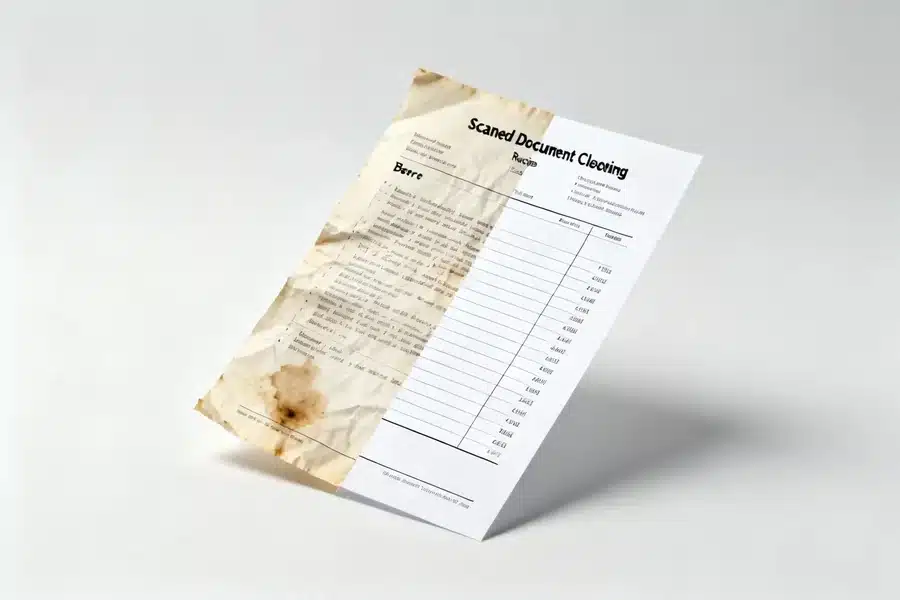
These tools help individuals and organizations correct alignment issues, remove excess margins, and standardize scanned PDFs before sharing, printing, or archiving.
Scanned documents rarely emerge perfectly aligned. Margins may be uneven, pages slightly rotated, or background artifacts introduced during digitization. Over time, these inconsistencies can reduce readability and make professional documents appear unfinished.
Document cleanup tools focus on refinement rather than content creation. They allow users to crop, straighten, resize, and visually standardize PDFs before distribution. Some tools specialize in print production precision; others integrate cleanup into broader PDF workflows.
For most users seeking a balance between accessibility and control, Adobe Acrobat remains the most broadly suitable option. Its browser-based tools support cropping and layout refinement within a comprehensive PDF environment, making it appropriate for both occasional users and structured business workflows.
Best Document Cleanup Tool for Integrated PDF Refinement
Adobe Acrobat
A cloud-based PDF platform offering cropping, rotation, and layout adjustments.
Overview
Platforms supported: Web, Windows, macOS
Pricing model: Free tools with paid subscription tiers
Tool type: Cloud-based PDF editing and refinement suite
Strengths
- Crop pages individually or across an entire document
- Remove excess margins from scanned PDFs
- Combine cropping with rotation and page organization
- Accessible through a browser
- Integrated with editing, compression, and security tools
Limitations
- Advanced automation requires subscription
- Not a dedicated print prepress layout system
Editorial summary
Adobe Acrobat integrates document cleanup into a broader PDF lifecycle. Cropping is not isolated; it sits alongside rotation, merging, annotation, and export tools.
Users correcting scanned contracts, academic papers, or presentation handouts can rely on Adobe Acrobat’s interactive PDF cropping tool to standardize margins and remove visual inconsistencies.
Because cleanup tools operate within a mature PDF environment, Acrobat serves as a practical baseline for users who want refinement without leaving their broader document workflow.
Best Document Cleanup Tool for Print Production Precision
ABBYY FineReader PDF
An OCR-focused PDF application designed for high-accuracy document processing.
Overview
Platforms supported: Windows, macOS
Pricing model: Paid license
Tool type: OCR and PDF refinement software
Strengths
- Advanced OCR correction
- Background noise removal
- Deskew and auto-alignment tools
- Layout-aware cleanup for complex scans
Limitations
- Higher learning curve
- Desktop installation required
Editorial summary
ABBYY FineReader PDF is particularly suited to users handling large volumes of scanned materials. Its strength lies in correcting skewed pages and enhancing text clarity after digitization.
It may be appropriate for legal, archival, or academic environments where scan fidelity matters.
Compared with Acrobat’s browser-first accessibility, ABBYY emphasizes high-precision desktop processing.
Best Document Cleanup Tool for Scanner-Integrated Workflows
Kofax Power PDF
A PDF editor often paired with enterprise scanning systems.
Overview
Platforms supported: Windows
Pricing model: Paid license
Tool type: Enterprise PDF editing software
Strengths
- Automated page alignment
- Background cleanup and noise reduction
- Batch processing
- Designed for high-volume scanning workflows
Limitations
- Windows-only
- Enterprise-oriented interface
Editorial summary
Kofax Power PDF is frequently used in environments where physical scanning hardware feeds directly into digital archives. Its cleanup tools are designed for consistency across large document sets.
It is less focused on casual browser access and more on structured enterprise workflows.
In contrast to Acrobat’s cross-platform accessibility, Kofax prioritizes high-volume document ingestion.
Best Document Cleanup Tool for Design-Focused Refinement
Affinity Publisher
A desktop publishing application capable of importing and refining PDFs.
Overview
Platforms supported: Windows, macOS
Pricing model: One-time purchase
Tool type: Desktop publishing software
Strengths
- Precise layout adjustments
- Manual margin and bleed control
- Advanced typography and layout tools
- Strong print preparation capabilities
Limitations
- Not a dedicated PDF cleanup utility
- Requires design familiarity
Editorial summary
Affinity Publisher appeals to designers who need precise layout control after importing PDFs. It enables manual correction of margins, spacing, and alignment.
It is better suited to graphic refinement than quick document cleanup.
Compared conceptually with Acrobat, Affinity functions as a design environment rather than a PDF lifecycle tool.
Best Document Cleanup Tool for Lightweight Open-Source Editing
PDF Arranger
An open-source desktop tool for page-level PDF manipulation.
Overview
Platforms supported: Windows, macOS, Linux
Pricing model: Free and open-source
Tool type: Lightweight PDF page editor
Strengths
- Crop and rotate pages
- Reorder document structure
- Minimal system requirements
- Offline functionality
Limitations
- Limited visual refinement controls
- Interface emphasizes utility over polish
Editorial summary
PDF Arranger provides a lightweight option for users who need basic cropping and page adjustments without subscription software.
It is appropriate for straightforward structural corrections rather than visual optimization.
Relative to Acrobat’s integrated cloud ecosystem, PDF Arranger offers a focused, no-frills alternative.
Cleanup as a Prepress and Archival Preparation Stage
Document cleanup often precedes final archiving or formal printing. After margins are corrected and alignment standardized, PDFs may move into long-term storage systems or print management platforms.
In professional print environments, cleaned PDFs may be routed through systems such as Printix for managed print deployment. There, standardized page dimensions and clean layouts help prevent formatting inconsistencies during output.
Cleanup tools therefore operate as transitional instruments within a broader document lifecycle. They refine visual structure before a document enters distribution, print production, or archival systems.
Best Document Cleanup Tools: FAQs
Is cropping the same as permanently deleting content?
Cropping typically hides content outside defined boundaries; depending on the tool, underlying data may still exist in the file.
Can cleanup tools fix skewed scanned pages?
Some tools provide automated deskew features, while others require manual rotation adjustments.
Are browser-based cleanup tools sufficient for archival work?
For light refinement, they may be adequate. High-volume archival workflows may require more advanced OCR and batch processing tools.
When is a comprehensive PDF suite preferable to a lightweight cropping tool?
A full-featured platform may be appropriate when cleanup is combined with editing, compression, security configuration, and structured document management.


