
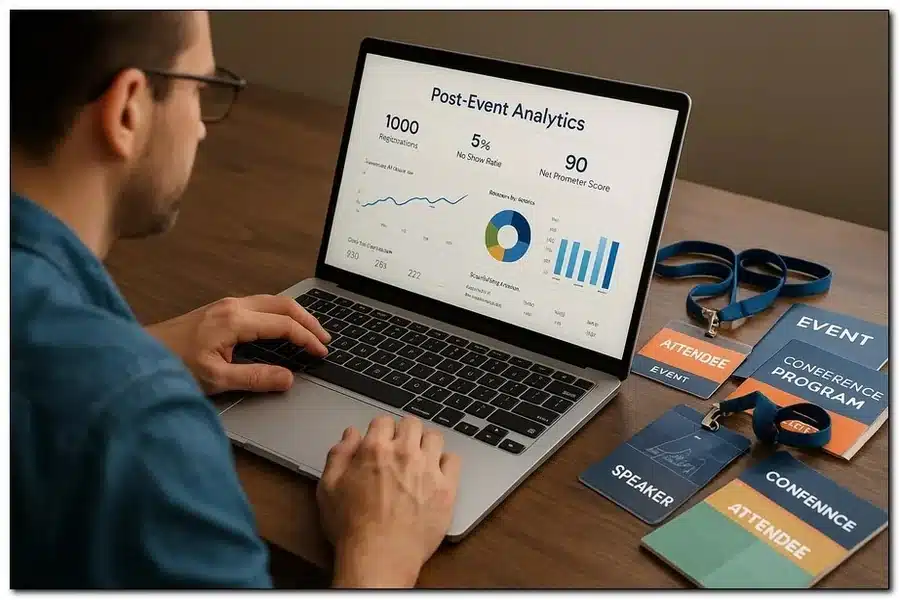
Events run on fast decisions, precise timing, and clean data. A purpose-built CRM gives planners, sales, and marketing one source of truth—from sponsorship pipelines and venue holds to attendee journeys and post-show ROI. When contacts, registrations, payments, and communications live together, you cut duplicate work, reduce no-shows, and turn each event into a repeatable revenue engine.
Common pain points it solves
- Scattered spreadsheets and conflicting attendee lists
- Lost sponsor notes and untracked upsell opportunities
- Slow approvals for speaker/content workflows
- Manual badge edits and on-site check-in bottlenecks
- Weak post-event follow-up and limited ROI reporting
Must-have features for events
Choose tools that reflect real-world show floors, not just generic sales cycles.
Registration & attendee management
- Flexible ticket types, promo codes, and group passes
- Waitlists with auto-promotion rules
- Identity management (SSO) and consent tracking (GDPR/CCPA)
- Dynamic badges and QR codes tied to profiles
Exhibitor & sponsor sales
- Deal stages tailored to prospectus items (booths, packages, add-ons)
- Inventory control for spaces, sessions, and activations
- Contract templates, e-signing, and invoicing in one place
- Revenue attribution to channels and reps
Marketing & communications
- Segmented campaigns by role (VIP, speaker, exhibitor, attendee)
- Behavioral triggers (registered, checked in, skipped session)
- Integrated email/SMS and branded confirmations
- UTM tracking and source ROI dashboards
On-site operations
- Fast check-in with offline mode
- Session scanning and capacity alerts
- Lead capture for exhibitors with instant scoring
- Real-time incident and queue reporting
Implementation blueprint
Roll out in tight sprints to show value early and earn team buy-in.
- Data hygiene first: unify contacts, past registrations, companies, and consent flags.
- Model your event: ticket types, session taxonomy, spaces, and sponsorship SKUs.
- Automate the journey: confirmations, reminders, upgrade nudges, and review asks.
- Enable the field: train staff on check-in, badge reprint, and session scanning.
- Close the loop: pipe leads to sales and schedule post-event follow-ups.
Metrics that prove success
- Registration conversion rate and time-to-register
- No-show rate and on-site reprints per hour
- Sponsor renewal rate and average package value
- Session attendance, dwell time, and NPS/CSAT
- Cost per registration and marketing channel ROI
Integrations that matter
- Finance and payments (invoices, partials, refunds)
- Marketing automation and advertising audiences
- Virtual event platforms and streaming
- BI tools for cohort and lifetime value analysis
Final take
Avoid chasing shiny features; prioritize reliability on show day and clarity after. Define the outcomes you need (higher sponsor renewals, smoother check-in, richer attendee data), then map features and integrations to those goals. If you’re evaluating platforms, the best crm for event management is the one that mirrors your event lifecycle end to end, removes manual steps, and gives every stakeholder—planners, exhibitors, speakers, and attendees—a smoother path from invitation to impact.
Event management demands precision, organization, and seamless communication. A dedicated CRM gives event teams the tools to manage attendees, vendors, sponsors, and venues all in one place. Instead of scattered spreadsheets, teams can track registrations, automate reminders, and monitor budgets effortlessly. Real-time data access ensures smooth coordination across departments, while analytics provide insights for improving future events. With a CRM, every interaction — from guest communication to sponsor follow-ups — is streamlined, boosting efficiency and professionalism. Ultimately, a dedicated CRM helps event teams save time, reduce stress, and deliver memorable experiences that exceed expectations.


